
There is an issue in CRM 2015 when adding new users to the CRM organisation through the 365 portal, they do not appear within the list of Users in CRM. There is a workaround which involves doing the following:
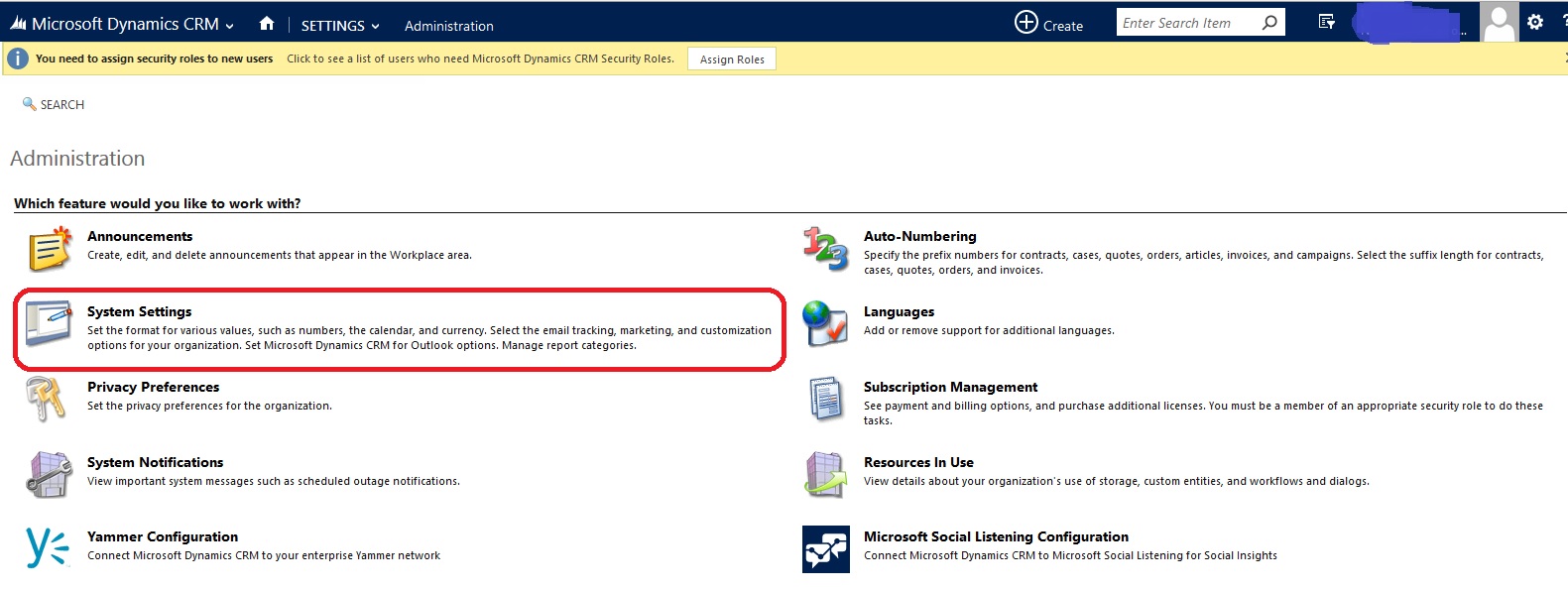
- log on to crm, go to Settings → Administration
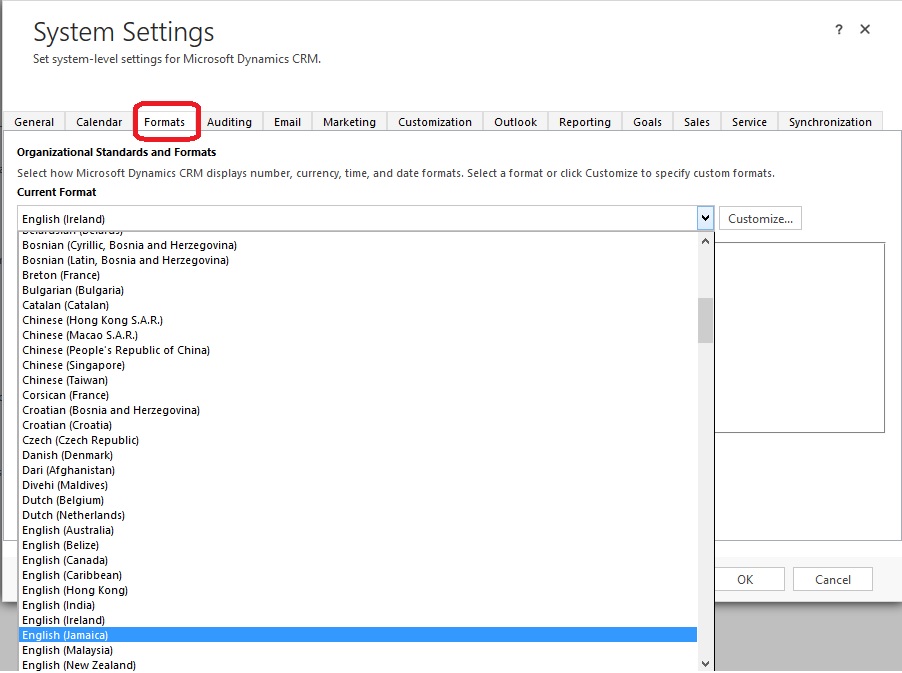
- Go to System Settings → Formats
- Switch from (The language) to (Any other language) Example :Switch from English (South Africa) to English (United States)
- Press Ok
- Go Back to System Settings → Formats
- Switch Back to (The customer language) Example: English (South Africa).
- Remove the CRM Licenses to the user(s) (Via the 365 portal)
- Wait for 10 minutes
- Give the CRM License back to the user(s) (Via the 365 portal)
OR
- Log on to the 365 portal
- Add Global Administrator Role to User
- Remove Global Administrator Role from User
- Log on to CRM
Usually the first set of steps work the best. Below are visual guides on how to navigate to the System Settings within your CRM organisation:

 Stephen Mulryan - Software Engineer